Reviewing Overrides
This topic is intended for Independent pharmacies only and is not applicable to Rexall pharmacies.
Review Overrides allows you to review blocked downloads and choose whether or not to apply the updates. Data is kept for 120 days in the Review Drug Updates window. Two tabs are available:
Each tab can be sorted by selecting the header of any column.
-
Drug Updates - provides a list of general information updates that were blocked. For a list of fields that can be blocked, see Blocking General Information Drug Updates.
Select the expander icons
 below to learn more.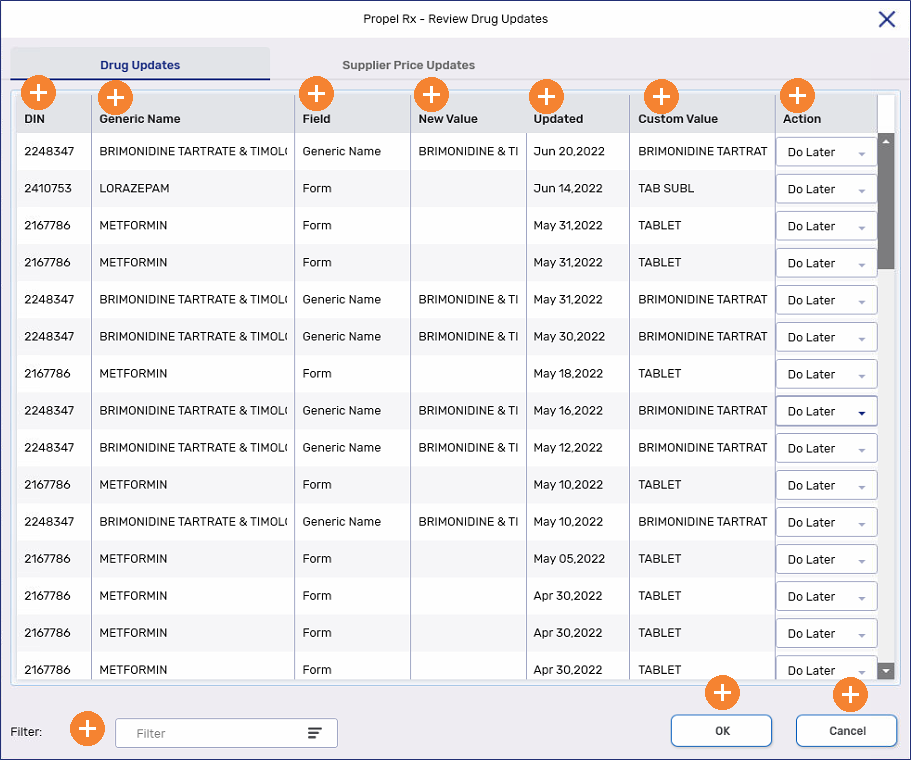
-
Supplier Price Updates - provides of list of McKesson supplier price updates that have been blocked from the Drug Folder.
Select the expander icons
below to learn more. 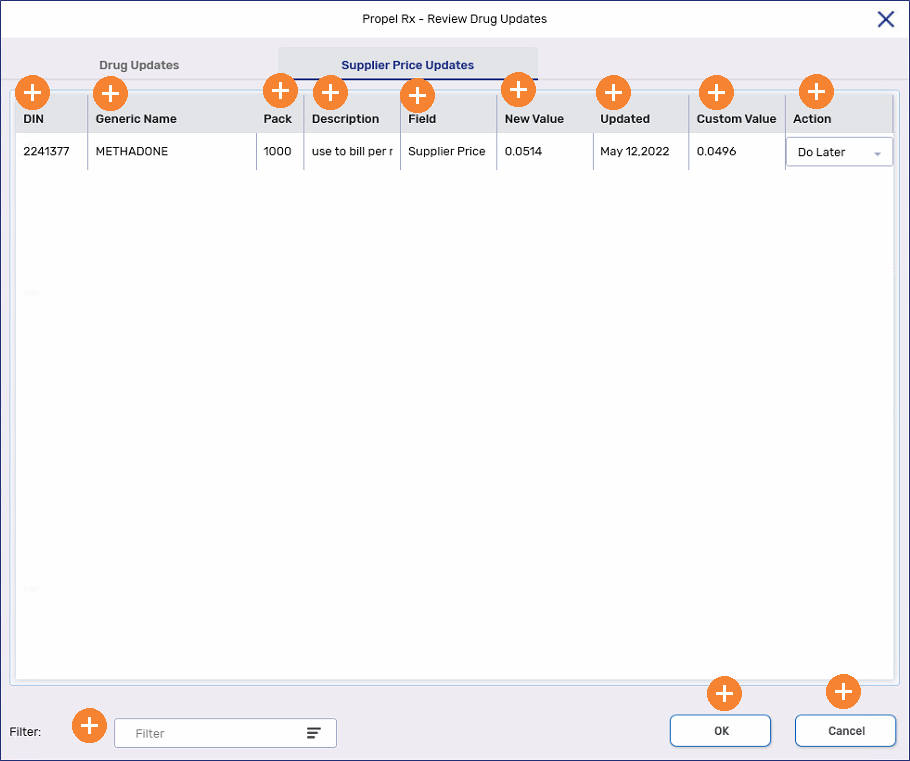
To review blocked drug and McKesson supplier price updates:
-
Select
 > Inventory > Review Overrides. The Review Drug Updates window opens.
 -
For each row listed, select an option from the Action dropdown:
-
Use Custom - keeps your customized setting for the drug field.
-
Use New - apply the updated information to the drug.
-
Do Later - keeps the item in the Review Drug Updates window for you to review at another time. This is the default option.
-
-
Once an action has been selected for each item, select OK to apply the settings. This applies all Use Custom and Use New selections and removes them from the Review Drug Updates window. The Do Later rows remain in the window. A prompt appears indicating the changes were processed successfully. Select OK.
-
Select the Supplier Price Updates tab.
-
Repeat steps 2 - 3 for the supplier price updates.
-
Select Cancel to exit the window.